
technical support
Easily integrate cvi42 into your clinical routine
cvi42 is vendor-independent and runs on regular desktop hardware (Mac & Windows). It can be deployed as a standalone (workstation) or as Client/Server.
The software has a powerful Viewer, full DICOM connectivity to PACS, and HL7 compatibility* for an easy integration into your reporting systems.
*additional license and implementation required.
Install cvi42
as a Standalone deployment
- Client and Server are installed on a single machine
- cvi42 connects to the server locally
- Workspaces can be saved as DICOM Secondary Capture (SC)
- DICOM Secondary Captures / Workspaces / Reports can be saved to PACS
- DICOM Send (unidirectional) and DICOM Q/R ( bi-directional)
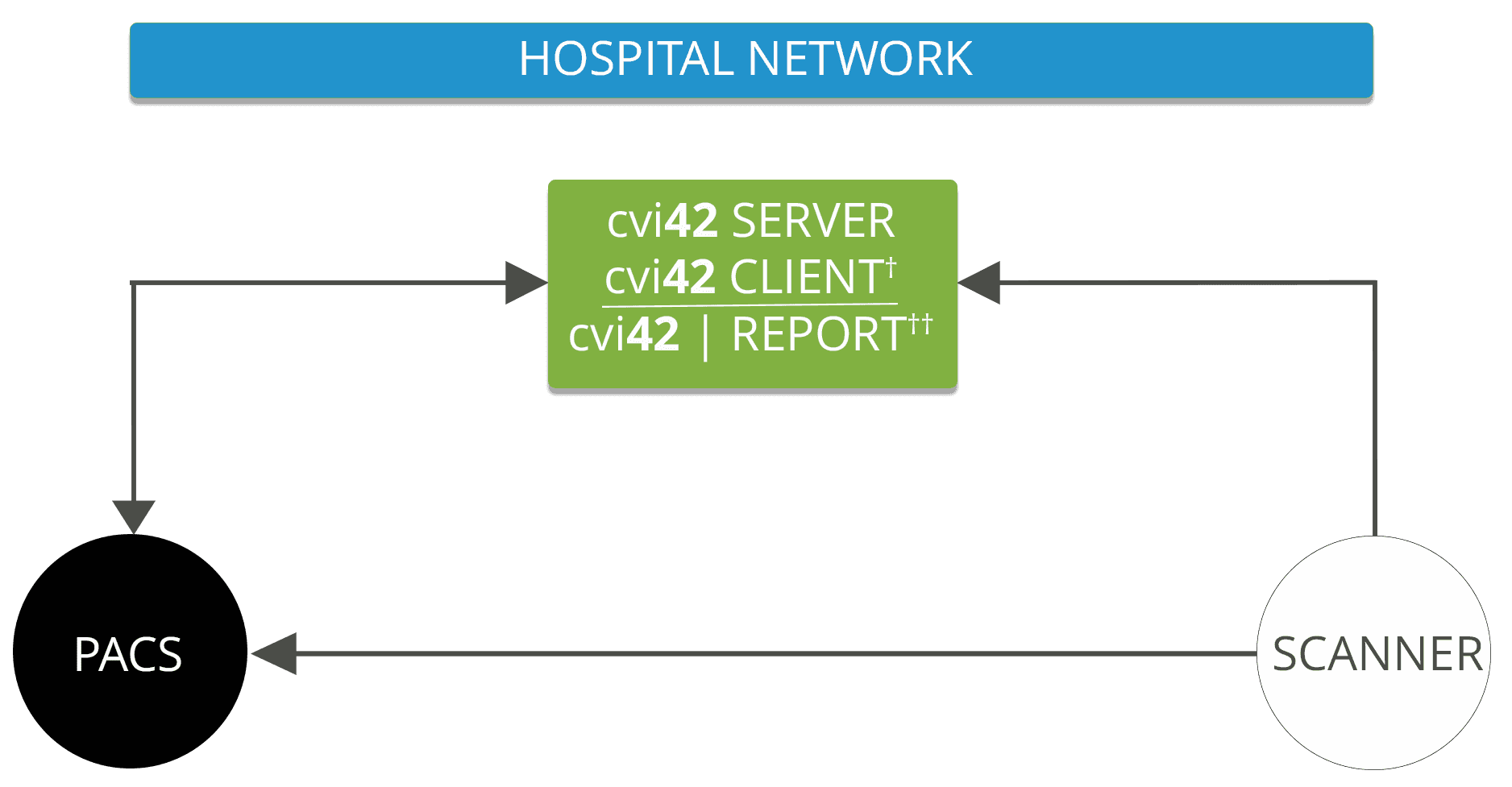
† cvi42 CLIENT includes standard Report (included with all cvi42 licenses)
†† cvi42|Report requires additional license
Install cvi42 as Client/Server deployment
- cvi42 Client Computer(s) can connect to the cvi42 Server over a local TCP/IP Network
- cvi42 Server will handle concurrent user licensing
- PHI and imaging data is only stored on the cvi42 Server
- Workspaces can be saved as DICOM (DICOM Workspaces / Secondary Captures and Reports can be saved to PACS)
- Secure Client/Server connection with TLS encryption
- Centralized user management with encrypted LDAP / AD authentication
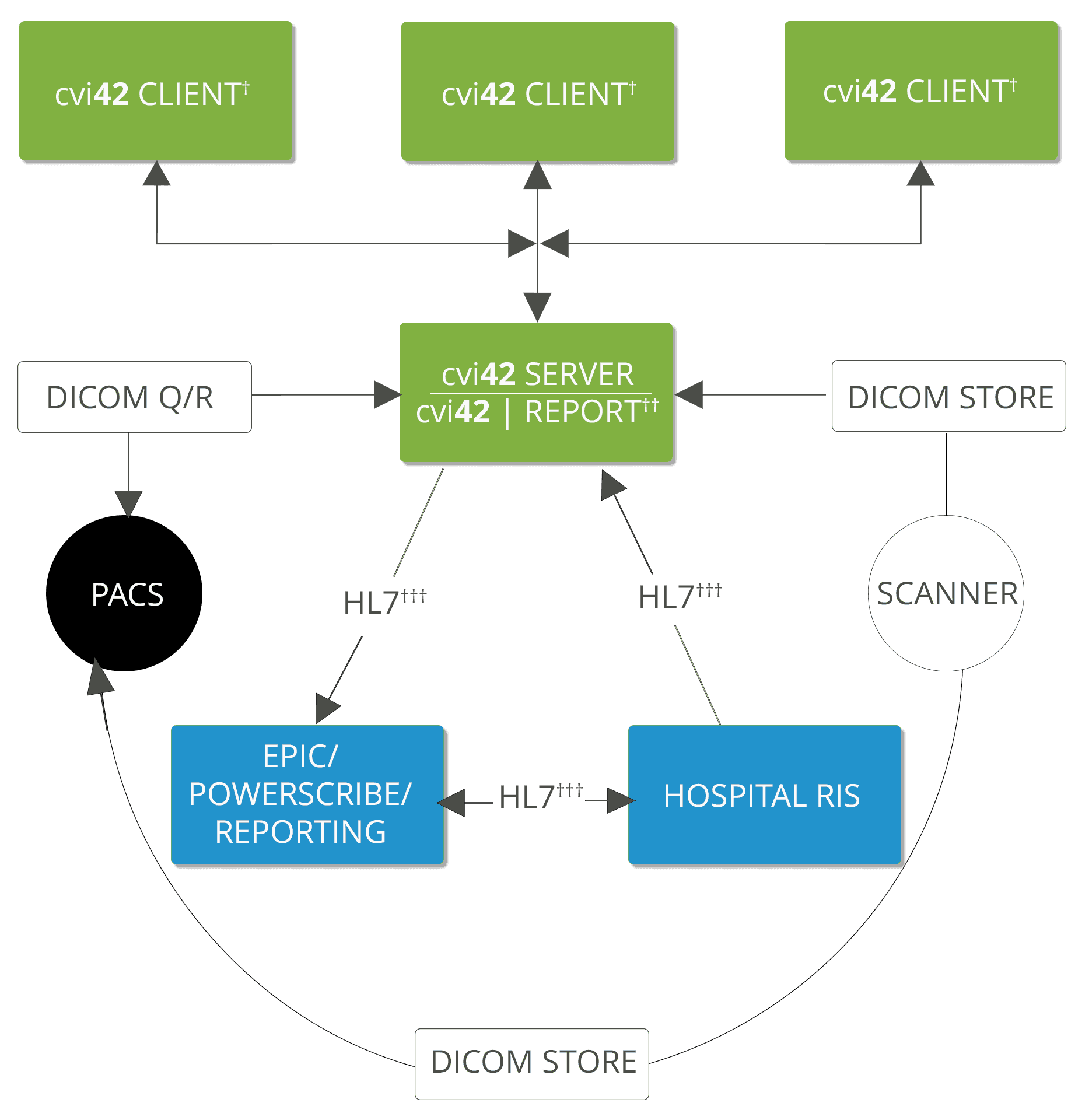
† cvi42 CLIENT includes standard Report (included with all cvi42 licenses)
†† cvi42|Report requires additional license
††† HL7 integration requires cvi42|Report and purchase of HL7 integration services
Get access to our cvi42 Documentation

cvi42 System Requirements
Client-server installation and configuration guide
cvi42 DICOM Conformance Statement
cvi42 HL7 Conformance Statement
cvi42 Download and Installation Guide
Looking for help?
We’d like to hear from you.
Contact our Support Team
+1 (403) 338 1870
8am-5pm Mountain Time
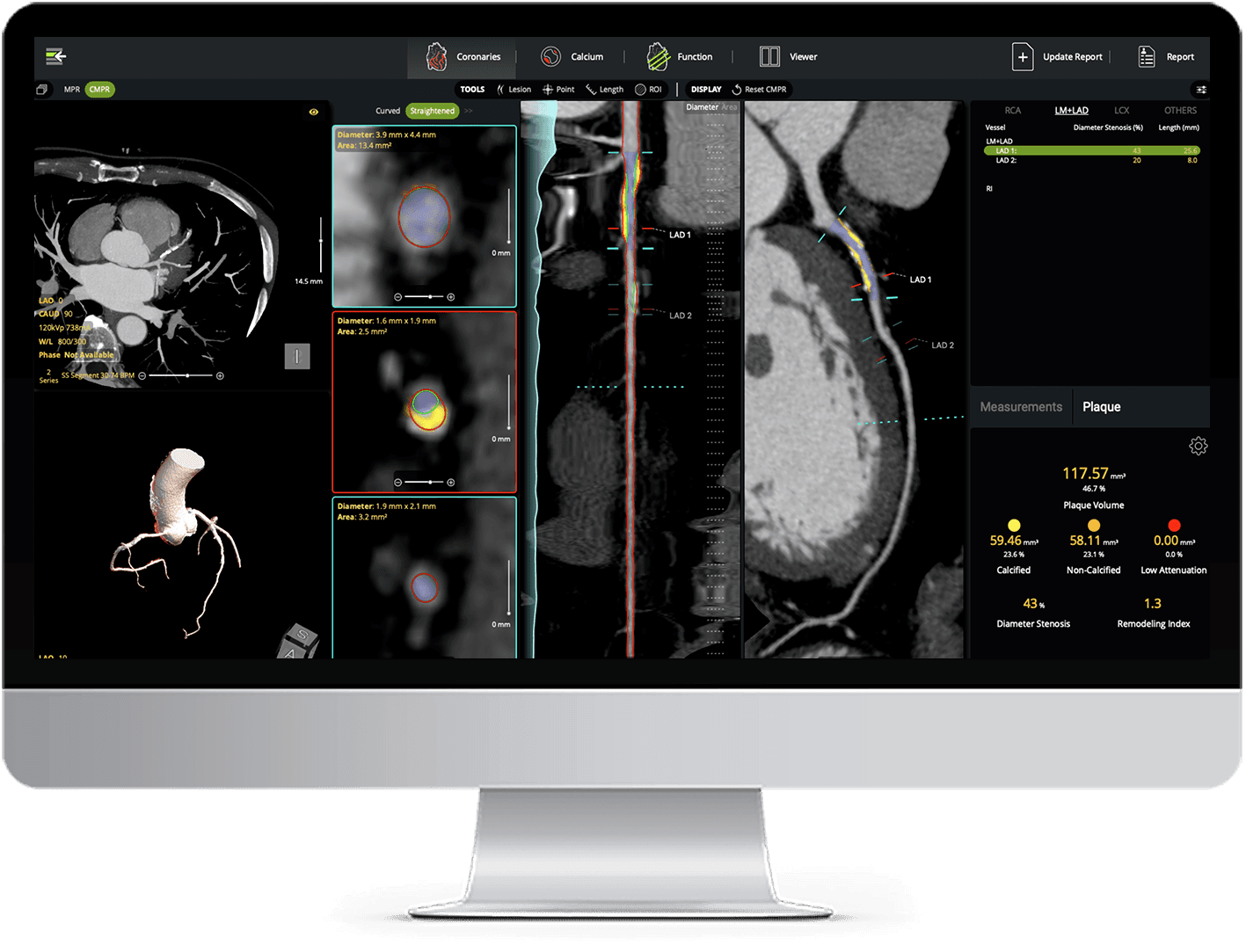
AI Plaque Analysis
AI-powered coronary plaque quantification with detailed reporting - fully interactive and integrated into your CT workflow.