
interventional planning
Fast and effective planning tools for structural heart intervention
Aid in preparation for Left Atrial Appendage Closure, Aortic and Mitral valve replacement with a specialized workflow for CT. Measure, visualize and report findings to make the best decisions for your patients.
TruPlan
Use WATCHMAN™ TruPlan™ for comprehensive visualization and pre-procedural planning for left atrial appendage closure. Fast and intuitive techniques for pre-procedural planning and post-procedural follow-up.
Not all modules or features are available in every region. Contact your local Circle sales representative for regional availability.

LAA Assessment
- Automated LAA landing zone definition
- Multiphase selection of desired phase
- Size and location of landing zone
- 3D anatomical assessment (segmentation, sculpting)
- Endoluminal view to LAA and LA

Fluoro Simulation
- Simple, intuitive definition of Fossa Ovalis, IVC, SVC, and LUPV
- Fluoro simulation of LAA and structures
- Sizing tables for WATCHMAN devices
- Interactive overlay of WATCHMAN device and access sheaths
TEE simulation
- Full functional TEE simulation
- Prepopulated TEE 0-45-90-135, bicaval and Ao short axis views
- TEE-views simulation simultaneously with fluoro and 3D
- Probe depth, probe rotation, left-right flex and anterior-posterior flex
ICE simulation
- Structures and measurements visible on the echo views
- ICE view simulation
- Rotation, moving and flexing of probe

Follow up
- Easily assess a CT study following the LAAC procedure
- Peri-device leak (PDL) measurement
- Contrast patency assessment of distal LAA
- Pixel thresholding tool
- Adjustable MIP box to visualize LAAC device
- Dedicated follow-up report format
cvi42 | Aortic Valve
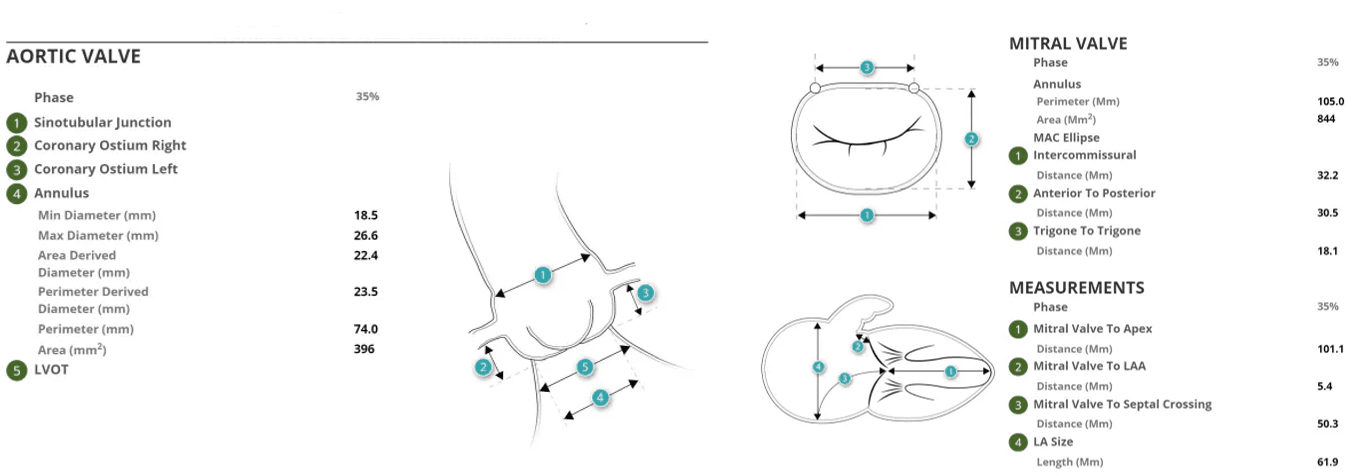
Planning tools for valve sizing and access in transcatheter aortic valve replacement procedures.
Aortic valve
- Automatic calculation of Ostia heights, ST Junction, Sinus of Valsalva, Aortic Annulus
- Assisted annulus detection with automated cusp points detection and automated contour placement
- User friendly tools including smart contouring in ROI placement for valve sizing
- Virtual device visualization
- Leaflet calcium volume
Femoral
- Semi-automated femoral centerline segmentation
- Reporting schematic for key measurements
cvi42 | Mitral Valve
Planning tools for sizing and access in Mitral valve replacement.
Mitral valve
- Automated landmark detection for mitral valve center and LV apex
- Automated mitral annulus contouring
- Mitral annular calcification assessment
- Coronary Sinus definition and guide wire simulation
- Assessment of LVOT and virtual device visualization
- Fluoroscopy page
- Extensive mitral infographics
- Apical access planning
Trans-septal
- Distance and angle measurements for mitral annulus approach
- Superior and inferior vena cava planning
- Fluoroscopy simulation
Reporting
cvi42 offers customizable structured reporting for pre-procedure evaluation using CT images. Build the report you need for the implanting physician.
Standard Integrated Report
- Simple Clinical data reporting
- Customizable template builder
- Infographics, diagrams, screenshots and measurements
- Export PDF, text, DICOM secondary capture and DICOM encapsulated pdf
- Configure consistent findings text
- User permissions configuration
- DICOM SR support
cvi42 | Report
Additional license required
- Includes all standard reporting functionalities
- Advanced Database Search
- Browser Access
Web Viewer
Enables viewing study images from supported web browsers. Access the information you need for an efficient cardiac imaging workflow that works for you.
- Review report and images with referring physicians
- Show patients their images in the exam room
- Improve collaboration across your health care team by reviewing reports easily
Web Viewer IP Functionalities
- Review processed LAA pre-planning results
- Smart layout to review original images and secondary captures created
- using TruPlan
Why Circle?
Our automated platform increases productivity while streamlining reporting. Reclaim lost time by optimizing decision-making with our cutting-edge AI platform and our unique expertise.

Our Technology Enables Informed Decisions for Fast and Accurate Diagnoses

Automated Workflows Increase Time for Patient Care

Unmatched User Experience & Support You Can Count On
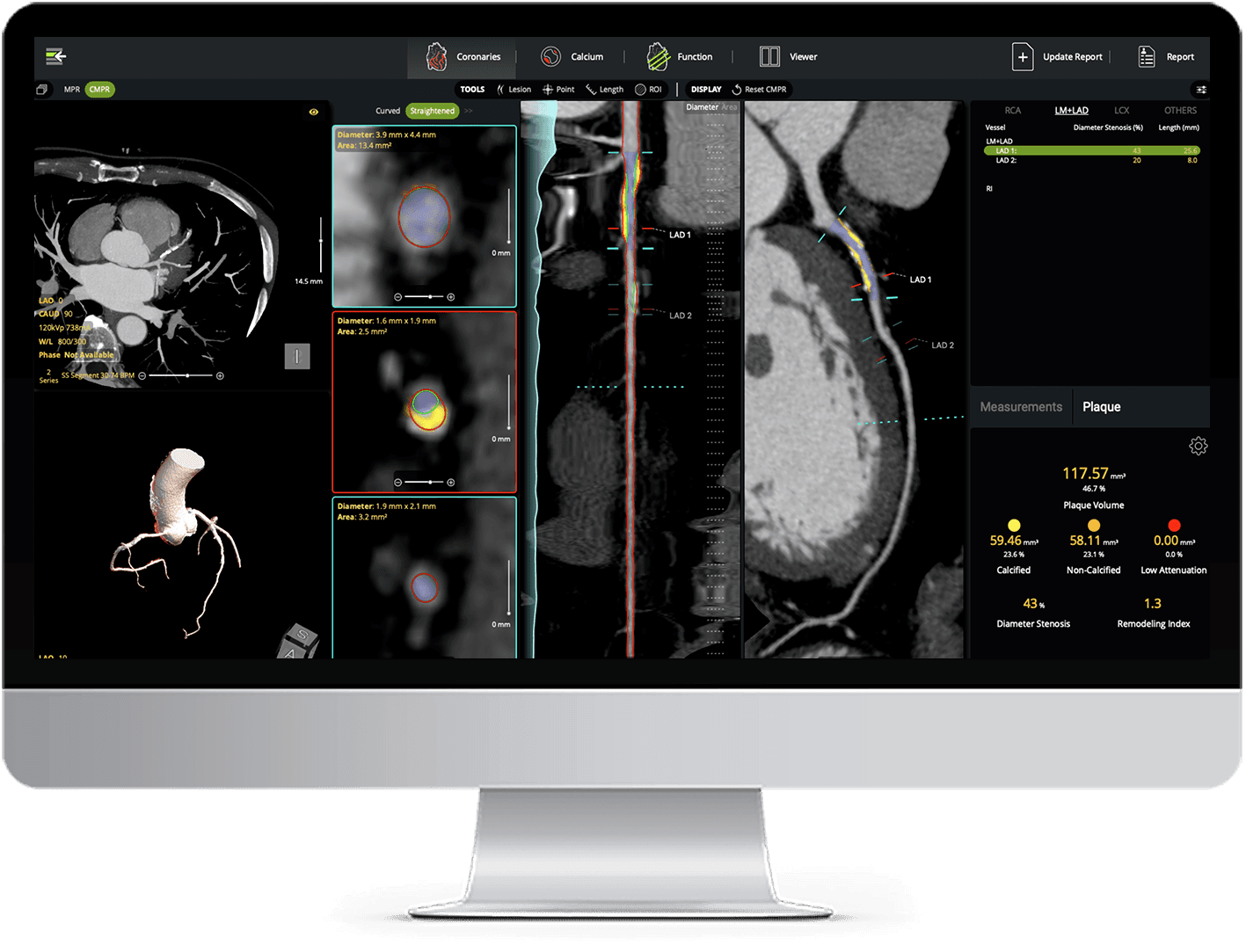
AI Plaque Analysis
AI-powered coronary plaque quantification with detailed reporting - fully interactive and integrated into your CT workflow.